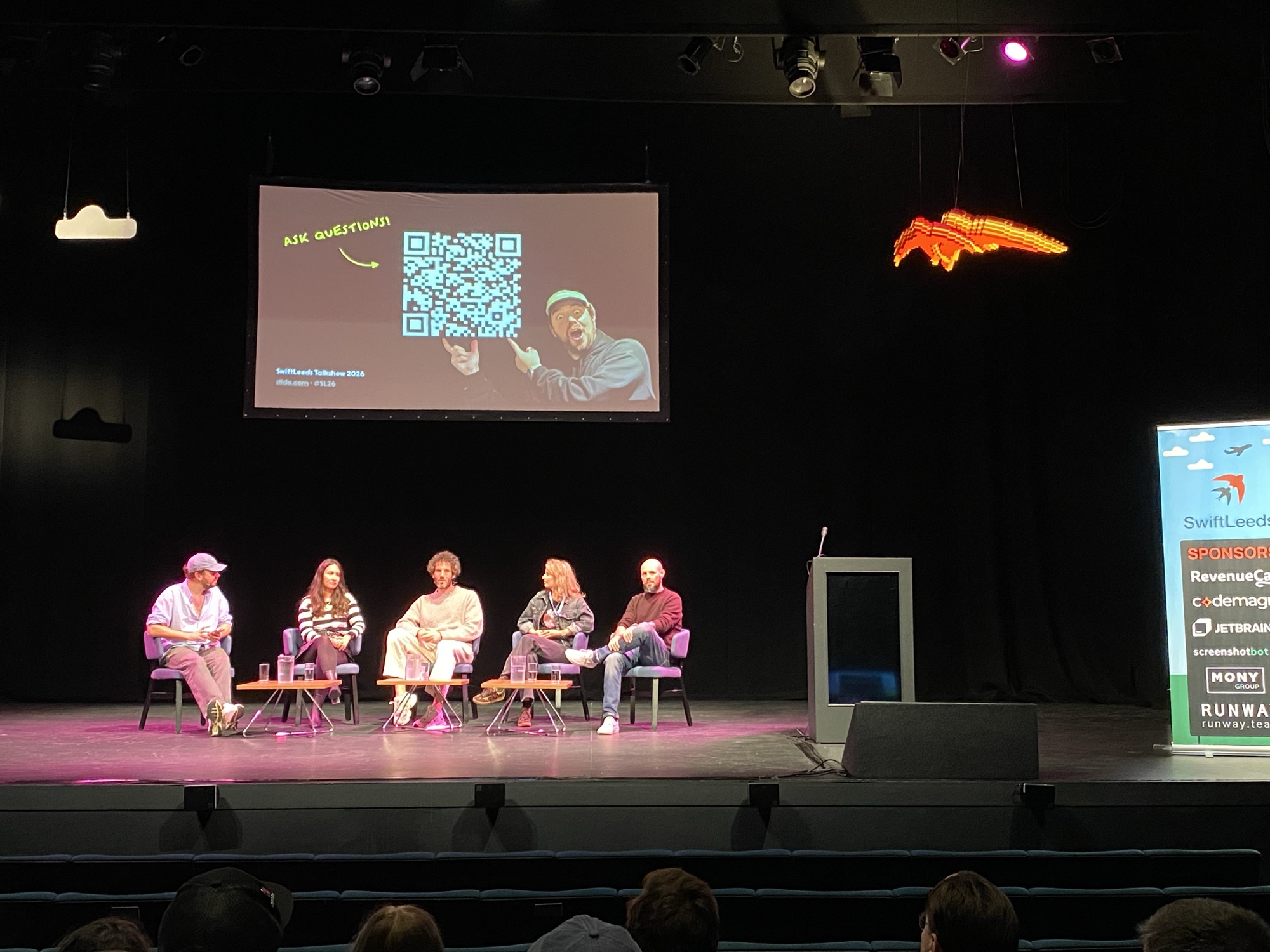
Today, I’m getting ready to pick up my wife and son at Manchester Airport. I’ve
been in Leeds for the last couple of days attending SwiftLeeds 2026. This was my
second time, after attending for the first time last year. Once again it was a
blast, and although the conference ended two days ago, I’m still reminiscing
about it with a big smile. SwiftLeeds doesn’t feel like a conference — it feels
like a party by developers, for developers. Everyone is there to have a nice
time, to laugh together, but also to learn and teach together. The welcoming
atmosphere isn’t just down to our community, but also to Adam Rush and his great
team.
Today, I’ve released TVTastic v0.2 to TestFlight. In the previous release, we could only stream
one hardcoded TV channel and one hardcoded radio channel. In v0.2, you can add the IP address of your Vu+ box
in the settings and configure its ports. After that, TVTastic automatically retrieves all channel lists (bouquets)
and the channels in each list. These channel lists and channels are shown in the UI, where you can navigate through them.
Selecting a channel starts streaming it. It’s a first MVP that already lets you enjoy your TV
and radio on all supported platforms. Next to macOS and iOS, I’ve added tvOS as a third platform.
I’ve also added an app icon.
In the last post, I briefly mentioned the TVTastic
project I started this month. Unlike my previous projects, I’m using more structured planning for this
one. I’m breaking the project down into milestones and assigning issues to each milestone. I use my
local instance of Forgejo to register these milestones and issues next to the
git repository containing the source code. I’ve noticed that planning the project this way helps me
stay motivated. It also helps me remember outstanding tasks, because I register TODOs directly in a
central place, which keeps my mind clear as well. The built-in progress bar for each milestone (see
below) is especially motivating. Every time I close an issue, I see the progress bar move, which gives
me a little dopamine boost. It also keeps me on track: I add new ideas and fixes to later milestones,
so I can focus on the functionality of the current milestone.
Last month, I released the first version of TimeTails, a
clock-learning app for kids, and a new version of my weight tracking app
ScaleDiary. This month, I’m working on a new app.
I say new, but actually it’s an old idea. In 2021, during the pandemic, I suddenly had
a lot of time and I started following Angela Yu’s iOS & Swift development course. In my
job at the time, I missed building actual apps. With the course, I started
learning Swift, not knowing that this would put me on the journey I am on
today.
In the previous post, we completed a first version of our app, which can spice
up your visits to a zoo by identifying the animals you see. If, like me, you took it for a spin to your local zoo,
you might have noticed that the app is not perfect. It can sometimes misidentify animals, and it can also fail to
assign a label at the correct level of specificity. For example, it might identify a zebra as a horse, or it might not recognize a Labrador as a “canine” or even a “mammal”. Why does this happen? We will explore the answer to this question in this post.
Over the course of the past few posts (see the overview here), we’ve introduced the ZooScan app and developed its UI using SwiftUI. In this fourth part, we will focus on integrating the Swift Vision framework to classify animals based on images captured by the app.
The first step is defining a protocol for our animal classification model. By using a standardized interface, we can easily switch between different models in the future if needed. Here’s how we can define the protocol:
In the previous post, we implemented the initial screen and the ImagePicker view. In this post, we will further develop the app. We will create a ViewModel and a ScannedAnimal model, and add the ‘Main’ and ‘Detail’ views. This will allow us to focus on the UI and the app structure before we dive into the machine learning part in later posts. By the way, if you’re looking for an overview of all the posts in this series, you can find them here.
In the previous post, I introduced the ZooScan app idea and shared a demo of the app in action. In this post, we’ll be getting our hands dirty. We will set up the project, create the basic UI, and implement the first steps of the app. By the way, if you’re looking for an overview of all the posts in this series, you can find them here.
To give you a basic idea of what we’ll be doing, here is an animated GIF that shows the app in action.
My son has always been fascinated by animals. We go to the local zoo multiple times a week, and when we’re on holiday, we always make a point to visit local zoos and other animal parks. On one of our holidays in Porto, we visited the local SeaLife. While we were there, their SeaScan app caught my attention. his clever app lets you scan fish and other creatures in the aquarium to instantly learn more about them. That sparked an idea: what if I build a similar app for zoo animals?