TVTastic v0.2 Released to TestFlight
Today, I’ve released TVTastic v0.2 to TestFlight. In the previous release, we could only stream one hardcoded TV channel and one hardcoded radio channel. In v0.2, you can add the IP address of your Vu+ box in the settings and configure its ports. After that, TVTastic automatically retrieves all channel lists (bouquets) and the channels in each list. These channel lists and channels are shown in the UI, where you can navigate through them. Selecting a channel starts streaming it. It’s a first MVP that already lets you enjoy your TV and radio on all supported platforms. Next to macOS and iOS, I’ve added tvOS as a third platform. I’ve also added an app icon.
The hardest part of this release was synchronizing the channel lists and channels with a local database. TVTastic compares the information retrieved from the box with the cached information and only inserts, updates or deletes the channels that have changed. Point-Free’s SQLiteData was a bliss to work with and a big change from Core Data. It makes managing dependencies a lot easier: instead of passing a managed object context around everywhere and tightly coupling the code to it, you declare the database as a dependency. Queries are also much easier to express.
I also ran into a few tvOS-specific issues. tvOS doesn’t support Icon Composer icons, so the tvOS app needs its own icon.
On top of that, the app couldn’t write its database to the Application Support folder, which is the default location
for SQLiteData. Instead, I had to use the Caches folder, but the system can purge that folder unexpectedly.
I’ll need to keep an eye on whether this leads to issues on tvOS in the future.
For now, all issues have been solved and you TVTastic is now available on TestFlight. Contact me if you’d like to help
me test!
Below, you can see some screenshots of TVTastic running in the iPad simulator. In the next version, I’ll focus on downloading and caching the channel (p)icons and giving the TVTastic UI some love.
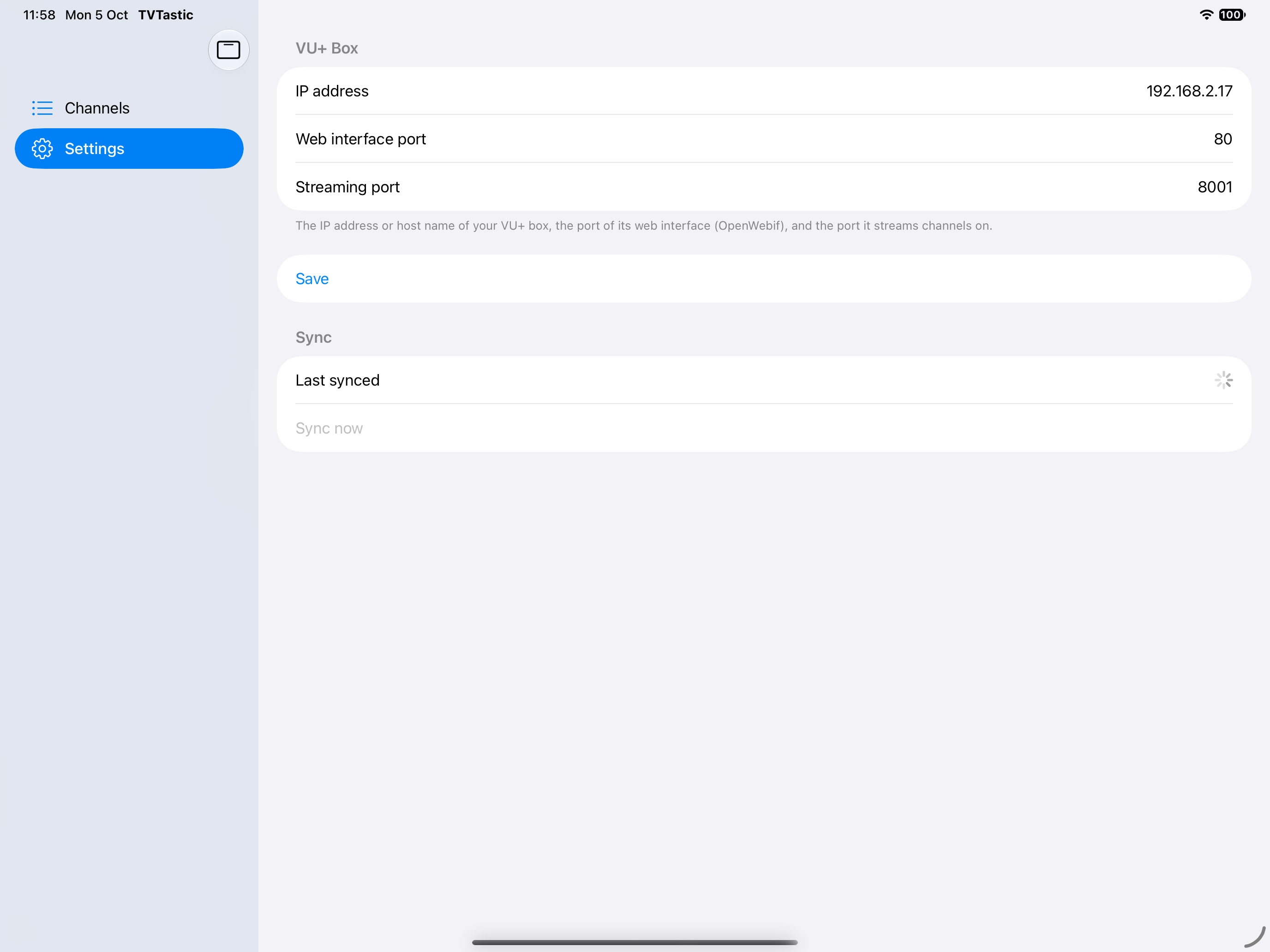
Configuring the IP address and ports of the Vu+ box
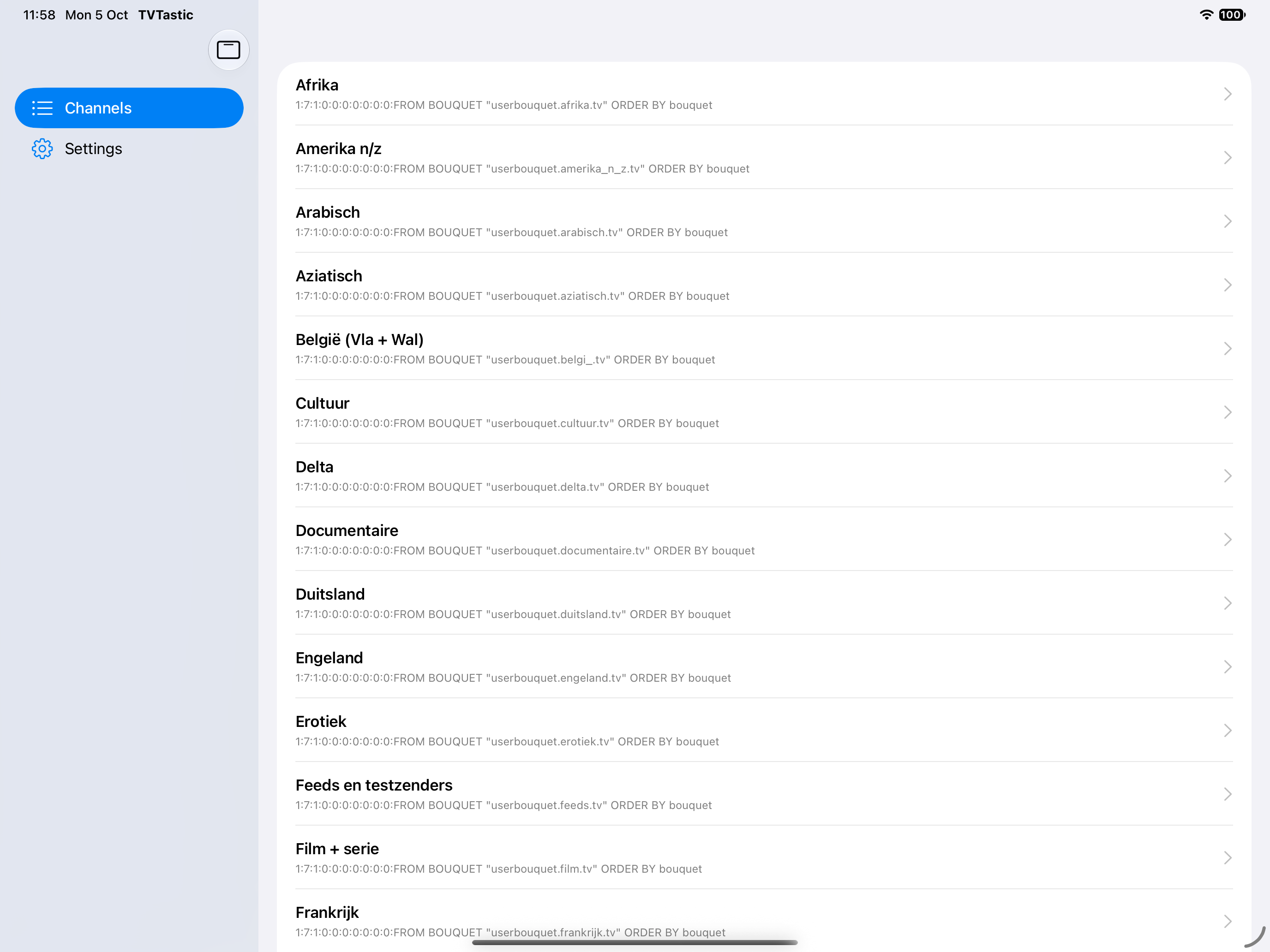
The channel lists retrieved from the Vu+ box
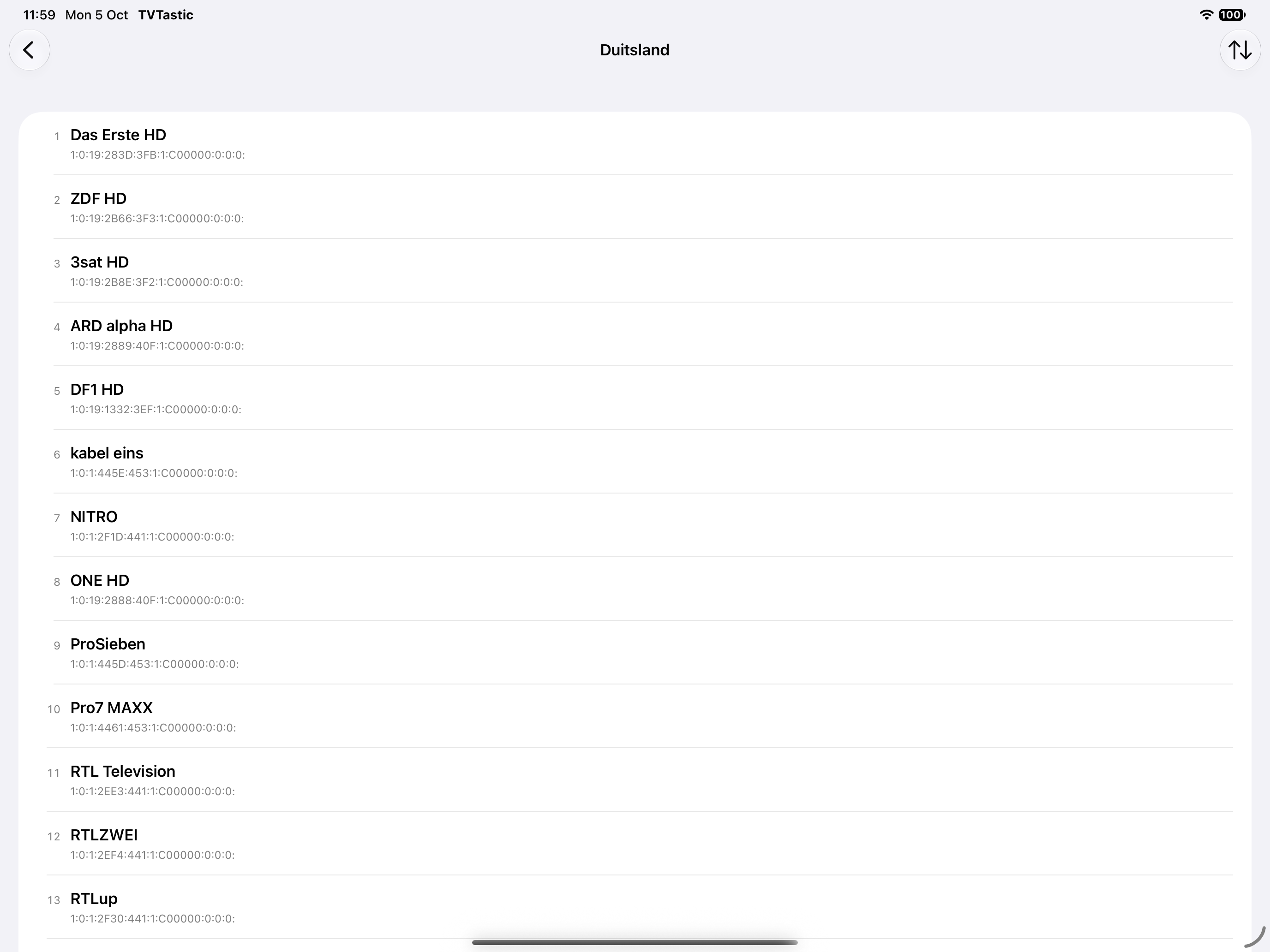
The channels in a channel list

Streaming BBC One
